
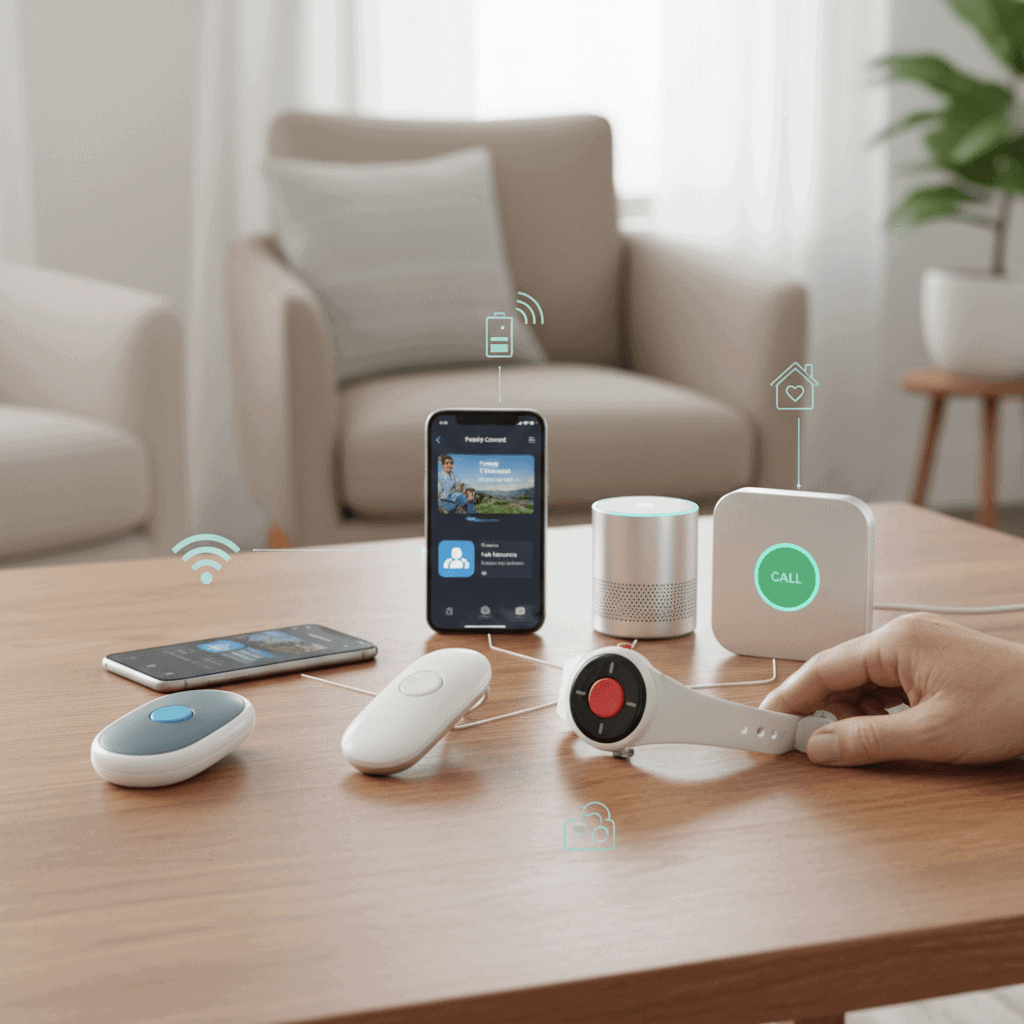
Finding medical alert options without recurring monthly fees can feel like searching for a practical balance between safety and cost. For seniors on fixed incomes or caregivers looking to reduce ongoing expenses, there are choices that provide emergency response, fall notification, or quick contact links without locking users into a subscription plan. This guide lays out the main options, what to look for when buying, and simple steps to get set up so a loved one can get help when they need it.
Below I cover device types, real world pros and cons, buying tips, and local alternatives that avoid monthly bills. Read through examples, learn what trade offs to expect, and use the checklists to compare products before you buy. If you need immediate quick reference, look for sections on low cost one time purchases and free smartphone features that can substitute for paid services.
Wearable pendants and buttons that work without a subscription
Some wearables are simple transmitters that rely on existing local systems rather than paid monitoring centers. They often pair with a mobile phone or a paired base unit that sends alerts to chosen contacts instead of to a paid dispatcher. Typical features include a one press SOS button, waterproof construction, and a lanyard or wrist strap.
- How they operate (example) One press triggers a call to a paired phone number or a text message to multiple contacts.
- Benefits Lower upfront cost and no monthly fee when you handle alerts within a family network.
- Limitations Range limits apply when using a base station and smartphone dependency reduces coverage when the phone is not nearby or if there is no cell service.
Tip Place the base unit in a central location in the home and test the button from different rooms to check range. Choose a waterproof model if the wearer often bathes or is active outdoors.
One time purchase fall detectors and personal alarms
Some fall detectors are sold as standalone units that sound a loud alarm or send a local alert when motion patterns indicate a fall. These can work without monthly monitoring by notifying nearby people or by sounding a siren that attracts attention.
- Practical use case An older adult living with a partner or in a small building can use a loud personal alarm that alerts neighbors or household members immediately.
- Pros No ongoing fees and low maintenance if battery life is long and replacement cells are inexpensive.
- Cons They usually do not contact emergency services directly without a phone or monitoring link.
Tip When buying, check how the device distinguishes a fall from normal movement and look for a model with configurable sensitivity to reduce false triggers.
Smartphone emergency features and low cost apps
Modern smartphones include built in emergency features that require no subscription. These work well when the senior carries a compatible phone and can activate features quickly.
- Examples iPhone emergency SOS which can call local emergency services and share location automatically when activated. Android phones offer emergency information settings and SOS triggers on select models.
- Low cost apps Some apps offer one time purchases for premium features rather than monthly plans. Look for apps that send messages to multiple contacts, share GPS location, or auto call a sequence of numbers.
- Limitations Reliant on the phone being on, charged, and in cellular or Wi Fi range.
Tip Program ICE (in case of emergency) contacts directly into the phone and show medical information on the lock screen. Practice activating the emergency feature so it becomes second nature.
Prepaid GPS trackers and pay as you go options
For seniors who need location tracking without a monthly subscription, prepaid GPS trackers offer a middle ground. You buy the device and top up a limited data plan only when needed. Some models support pay as you go SIM cards that can be used only during travel or high risk periods.
- How to choose Look at battery life, location accuracy, and the ability to set geofences that alert contacts when the wearer leaves a safe zone.
- Pros You control when to add data and can avoid continuous monthly fees by switching service off during low risk periods.
- Cons Managing prepaid plans requires a small amount of tech comfort and you must remember to top up before travel or outings.
Tip Buy a tracker with strong battery life and a simple app that family members can access. Verify that the tracker supports local cellular networks used where the senior spends most of their time.
Local alternatives that replace paid monitoring
Sometimes the cheapest option is not a device at all but an organized local plan. Community resources, neighborhood watch groups, and volunteer check in programs can provide regular welfare calls or rapid in person response without a subscription.
- Community programs Many towns run telephone check in services through senior centers that free up paid monitoring needs.
- Volunteer networks Neighbors or building staff can form a call rota for daily check ins or emergency response.
- Public safety programs Some fire departments participate in non monitored welfare checks or offer registration programs for vulnerable residents.
Tip Contact local senior services and explain budget constraints. Small local programs can sometimes recommend no fee devices or loan equipment for short term needs.
Buying checklist and red flags to watch for
When shopping for no subscription medical alert options, use a checklist to compare real costs and functionality. Key items to compare include battery life, waterproof rating, alert methods, warranty, and the presence of hidden activation fees.
- Battery type replaceable cells usually cost less over time than proprietary sealed batteries.
- Range and coverage will determine usefulness in single floor homes versus larger properties.
- Customer support availability even for one time purchase devices can save frustration during setup.
- Return policy a clear return window reduces risk if the device does not meet expectations.
- Hidden fees watch for activation charges when a device does not require a monthly plan but charges to enable certain features.
Red flag If a product touts free service but requires an account with significant personal data handover, weigh the privacy trade off before proceeding.
Quick comparison example
Imagine two options for a senior who walks alone daily. Option A is a low cost wearable that pairs with a smartphone and sends SMS alerts to family members. Option B is a prepaid GPS tracker with an SOS button and occasional top ups for data. Choose A if the wearer is usually with or near their phone. Choose B if the priority is location tracking during longer outings where a phone might be left behind.
Practical setup tips and routine testing
After you choose a device, a short setup routine makes it much more reliable. Start by updating contact lists and creating a clear step by step emergency protocol for each contact person. Teach the senior how to activate the device and run a test call at the same time each week until it becomes a habit.
- Label the device with simple operating steps attached to the charging station or inside a kitchen cabinet used frequently.
- Practice false alarm recovery so the wearer is confident how to cancel a mistaken alert and speak to responders if needed.
- Check batteries monthly and log replacements in a small notebook or digital calendar reminder for the caregiver.
Tip Pair a device with visible signs in the home (for example a note on the fridge) that list primary emergency contacts and medical conditions. This makes it easier for anyone who finds the senior to act quickly.
Where to read more and case studies
There are a number of blogs and nonprofit guides that review devices and share user stories. Real life accounts can reveal trade offs not visible in product specs such as the friendliness of app interfaces or the reliability of alert delivery in specific neighborhoods. One helpful article that outlines options for cost conscious seniors is available from a provider that covers low cost detectors and local support programs StarLeaf
Tip When reading reviews focus on reports that match the intended use case such as indoor only, solo walker, or frequent traveler. That makes the lessons more applicable to your situation.
Conclusion and next steps
Choosing a medical alert solution without monthly fees is about balancing safety needs with practical limits of technology and budgets. One time purchase wearables, standalone fall detectors, smartphone emergency functions, and prepaid GPS trackers each serve different situations. Local community programs and neighbor networks can substitute for monitored services when devices are not an option. To decide pick the scenarios you need covered such as at home only, at home plus short walks, or longer travels, then match a device or plan that aligns with those conditions.
Before you buy compare battery life, false alarm settings, warranty terms, and the ease of contacting emergency contacts. Run at least one test after setup and put a simple written emergency plan where it is easy to find. If cost is the limiting factor start with a smartphone emergency setup if a phone exists, pair that with a loud personal alarm at home, and look into local senior services that may lend or recommend free equipment. If you want more background on the typical options and community resources that can lower recurring costs consult guides that focus on low fee solutions and user stories. Taking these steps will reduce risk without adding monthly payments and will give you a practical, achievable path to safer daily life for the person you care about.
